FlowQA for Mac
Record a browser flow once, replay it as a repeatable test, and work on your team's test projects with your Snag account.
Needs a Mac with an Apple M-series chip and macOS 12 or later. Intel Macs and Windows are not supported yet.
Preview build. This version is not yet signed by Apple, so macOS asks you to confirm the first time you open it (step 2). It also does not update itself: get new versions from this page.
Install in three steps
-
Move FlowQA to Applications
Open the downloaded file, then drag FlowQA into the Applications folder.
-
Open it the first time
Open FlowQA from Applications. macOS says it cannot check the app for malicious software.
- On macOS 15 or later: choose Done, open System Settings, go to Privacy & Security, scroll down and choose Open Anyway.
- On macOS 12 to 14: Control-click FlowQA in Applications, choose Open, then Open again.
You only do this once.
-
Sign in with your Snag account
Enter the email you use for Snag. FlowQA sends a 6-digit code to that address; enter it to see your team's projects.
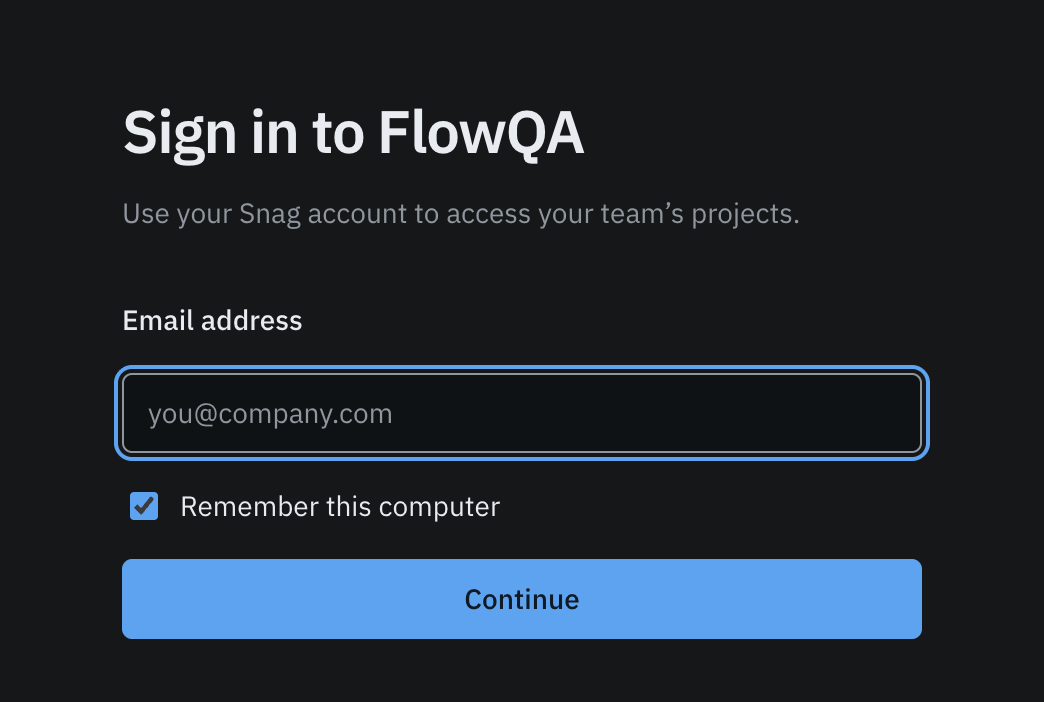
The first window you see after opening FlowQA.
No Snag account, or no projects after signing in? Ask the admin of your Snag workspace to invite you, or sign up at snag.tphinfra.com.
SHA-256 of FlowQA-0.1.0-darwin-arm64.dmg: c584336b3c2b07413c28863696de3cf60b6bc98f29d6c584a2bfe531a24a4271